AUTOSAMPLR

Turn any song into a sample pack

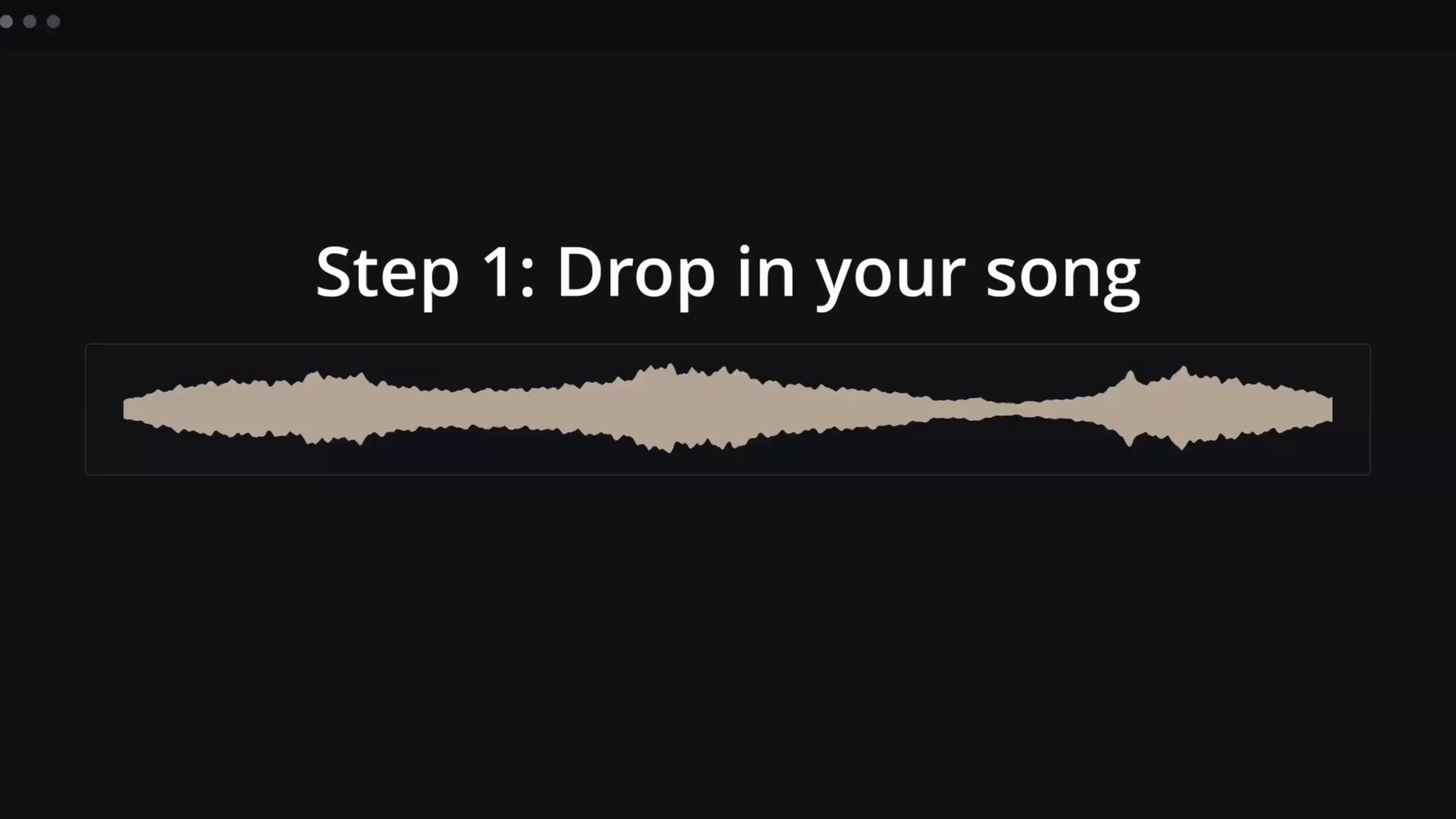
Drop in an audio file or web link. AutoSamplr separates the stems, extracts the good bits, and exports an Ableton Drum Rack, Ableton Move preset, or numbered WAV files for your DAW.

Buy once, use forever.
No subscription. No credits. Runs on your computer.
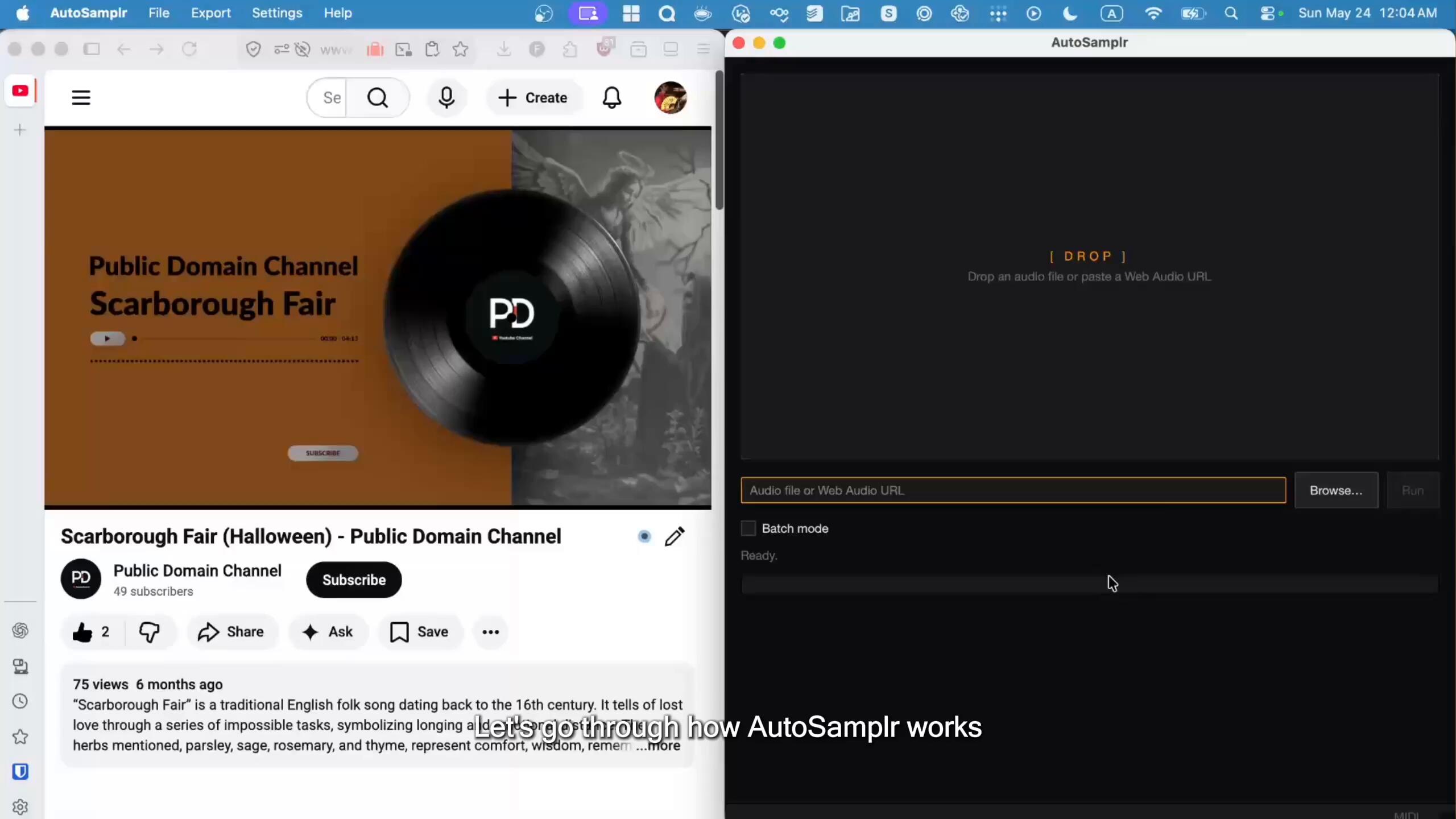
AutoSamplr Demo

Try it now


Under the hood

What happens inside AutoSamplr

How to go from song to sample pack without getting out of your creative flow

AutoSamplr Demo

Step 1: Stem Separation

AutoSamplr splits the source into vocals, drums, bass, and melodic layers, processed on your machine.


Step 2: Sample Ranking

Each stem is sliced and scored for usable moments based on attacks, tone, contrast, playable length using layer-specific criteria for drums, bass, melody, and vocals.


Step 3: Creative Control

Macro controls let you steer the samples toward sharper attacks, denser textures, more grit, wider variation, or a different balance of sounds, then fine-tune individual pads further with pad-level processing.


Dial In Your Sound

Individual Control Over Every Pad

Waveform Editor
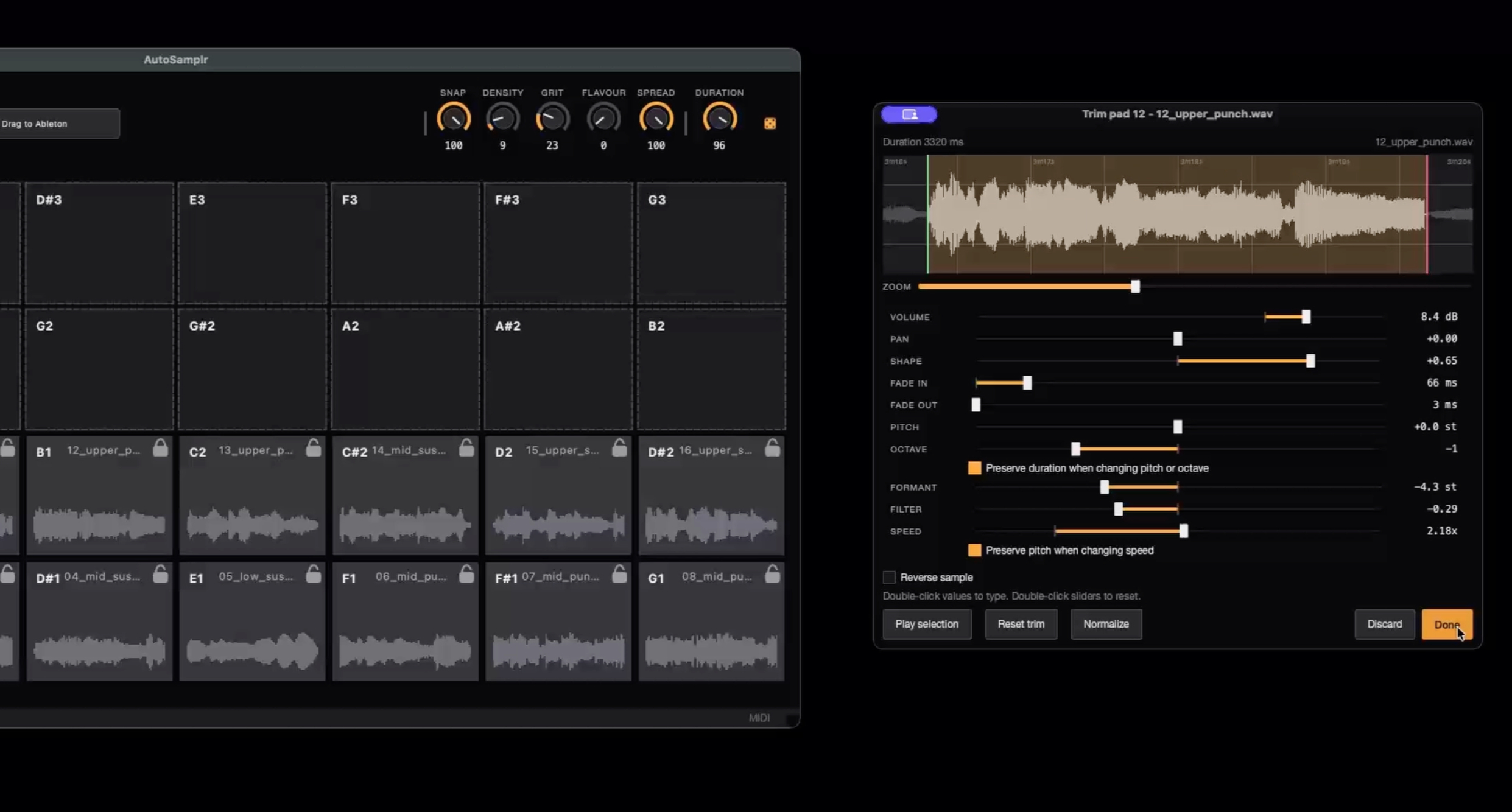
Start / End Trim
Fade In / Out
Formant Shifter
Filter
Shape
Pan
Pitch Shift
Speed Control
Volume
Reverse Playback

Watch the video to see it in action

AutoSamplr Demo

USE ANYWHERE

Export Options

Ableton Live / Move / Note

Export .adg Drum Racks and .ablpresetbundle presets, ready for Ableton Live, Move, and Note.

WAV Export

Export standard .wav files for most DAWs, or numbered .wav kits for bulk-import workflows like Logic, Maschine, Reason, Bitwig, Koala, SP-404MKII, and more.

Kit Export

Save complete AutoSamplr kits as .kit files to reopen, share, or move between setups.


No subscription. No Credits.

Buy Once, Use Forever

Try every idea without watching a meter run. AutoSamplr runs on your computer.

Early Access
Lifetime License

$29

Pre-launch discount for the early supporters. Lifetime license. Includes everything from the regular lifetime license.

LIFETIME LICENSE

$99

One-time purchase.
Export Ableton Drum Racks, Ableton Move presets, or numbered WAV files you can drag into your DAW.
Includes all future updates to AutoSamplr.

There is a world of audio waiting to be sampled.

Public-domain recordings, Creative Commons stems, field recordings, and archive audio can all become sample packs. AutoSamplr helps you extract the usable bits, shape them, and send them straight to your DAW.
FAQ

Do I get a lifetime license?
Yes. A paid AutoSamplr license is a perpetual license. It also includes any updates we provide within the same major version. Future major upgrades, new editions, paid add-ons, or long-term compatibility updates may be sold separately although there are currently no plans for this.
What’s included in the trial?
The public trial lets you try the full AutoSamplr workflow, with two limits: playback is time-limited, and exported WAVs include an audible watermark. A paid license removes those limits.
Does the trial use the same audio processing as the full version?
Yes. The trial uses the same core audio processing, ranking, and export pipeline as the paid version. The only differences are the trial playback limit and export watermark.
How does activation work?
After your purchase you will receive a license key through e-mail. Enter your license key in the app to activate AutoSamplr. After activation, the app only needs to re-check occasionally and can keep working offline for up to 30 days.
How many devices can I use?
A standard license can be activated on up to 5 devices.
Can I move my license to a new computer?
Yes. Use the deactivate option on the old computer first, then activate on the new one. If you no longer have access to the old machine, contact support and we can help.
What happens if I reinstall my OS or replace my computer?
A reinstall, changed home folder, or new computer may count as a new activation. If possible, deactivate before making major system changes. If you get stuck, reach out to support.
Can I transfer my license to someone else?
Licenses are non-transferable.
What is the refund policy?
Purchases are generally final once a license has been issued, activated, downloaded, or used. If something goes wrong, contact support and we’ll review it. Approved refunds may cancel the license.
What are the macOS system requirements?

Minimum Requirements:

  • macOS Sequoia 15.0 or newer
  • 8GB RAM
  • Apple Silicon CPU, M1 or newer

Recommended Requirements:

  • macOS Sequoia 15.0 or newer
  • 16GB RAM
  • Apple Silicon CPU, M1 or newer
What are the Windows system requirements?

Minimum Requirements:

  • Windows 10+
  • 8GB RAM
  • x64 CPU

Recommended Requirements:

  • Windows 10+
  • 16GB RAM
  • x64 CPU
  • NVIDIA graphics with 6GB+ VRAM and CUDA 12 support
Which DAWs and devices are supported?

AutoSamplr exports Ableton Live Drum Rack .adg files for Ableton Live, Ableton Move preset bundles for Ableton Move / Note workflows, and standard WAV files that can be imported into most major DAWs and samplers.

Common DAWs that support WAV import include Ableton Live, Logic Pro, FL Studio, Pro Tools, Cubase, Nuendo, Studio One, REAPER, Bitwig Studio, GarageBand, Reason, Digital Performer, Cakewalk/Sonar, Mixcraft, Waveform, Renoise, Ardour, and Audacity.

What audio formats can I import?
AutoSamplr supports common audio formats including .mp3, .wav, .flac, .m4a, .aac, .ogg, .opus, .aif, .aiff, and .oga. Direct pad-grid imports are currently focused on .mp3 and .wav.
What sample rates and bit depths are supported?
AutoSamplr accepts source files at different sample rates. Core processing normalizes audio to 44.1 kHz where needed. Mono and stereo files are the safest supported formats. Multichannel audio is not guaranteed end-to-end.
Is there a maximum audio length?
There is no fixed documented duration limit, but very long files can take more time, CPU, RAM, or GPU resources. Direct audio URL downloads are capped at 1 GiB.
Can I import audio from web links?
Yes, for supported direct audio links and several public audio sites.
Is my audio uploaded to AutoSamplr servers?
No. We do not upload your audio to our servers. Audio processing happens locally on your machine.
How does AutoSamplr choose samples?

AutoSamplr looks for musically useful moments in your audio rather than just cutting it into equal chunks. It separates the song into stems, slices those stems into candidate moments, then scores them using features like loudness, attack, frequency content, timbre, and how different each sound is from the others.

The ranking changes depending on the material. For drums, AutoSamplr looks for a balanced kit across categories like kicks, snares, hats, percussion, and softer hits. For bass, vocals, and melodic material, it looks at things like register, attack, tone, and novelty so the final pads give you a varied set of playable sounds instead of sixteen versions of the same moment.

Can I influence the results?
Yes. Presets and reroll controls help shape the results. Similarity, Variance, and Length controls affect how AutoSamplr chooses and reshuffles samples depending on the material.
{ "@context": "https://schema.org", "@type": "FAQPage", "mainEntity": [ { "@type": "Question", "name": "Do I get a lifetime license?", "acceptedAnswer": { "@type": "Answer", "text": "Yes. A paid AutoSamplr license is a perpetual license. It also includes any updates we provide within the same major version. Future major upgrades, new editions, paid add-ons, or long-term compatibility updates may be sold separately although there are currently no plans for this." } }, { "@type": "Question", "name": "What’s included in the trial?", "acceptedAnswer": { "@type": "Answer", "text": "The public trial lets you try the full AutoSamplr workflow, with two limits: playback is time-limited, and exported WAVs include an audible watermark. A paid license removes those limits." } }, { "@type": "Question", "name": "Does the trial use the same audio processing as the full version?", "acceptedAnswer": { "@type": "Answer", "text": "Yes. The trial uses the same core audio processing, ranking, and export pipeline as the paid version. The only differences are the trial playback limit and export watermark." } }, { "@type": "Question", "name": "How does activation work?", "acceptedAnswer": { "@type": "Answer", "text": "After your purchase you will receive a license key through e-mail. Enter your license key in the app to activate AutoSamplr. After activation, the app only needs to re-check occasionally and can keep working offline for up to 30 days." } }, { "@type": "Question", "name": "How many devices can I use?", "acceptedAnswer": { "@type": "Answer", "text": "A standard license can be activated on up to 5 devices." } }, { "@type": "Question", "name": "Can I move my license to a new computer?", "acceptedAnswer": { "@type": "Answer", "text": "Yes. Use the deactivate option on the old computer first, then activate on the new one. If you no longer have access to the old machine, contact support and we can help." } }, { "@type": "Question", "name": "What happens if I reinstall my OS or replace my computer?", "acceptedAnswer": { "@type": "Answer", "text": "A reinstall, changed home folder, or new computer may count as a new activation. If possible, deactivate before making major system changes. If you get stuck, reach out to support." } }, { "@type": "Question", "name": "Can I transfer my license to someone else?", "acceptedAnswer": { "@type": "Answer", "text": "Licenses are non-transferable." } }, { "@type": "Question", "name": "What is the refund policy?", "acceptedAnswer": { "@type": "Answer", "text": "Purchases are generally final once a license has been issued, activated, downloaded, or used. If something goes wrong, contact support and we’ll review it. Approved refunds may cancel the license." } }, { "@type": "Question", "name": "What are the macOS requirements?", "acceptedAnswer": { "@type": "Answer", "text": "Minimum Requirements: macOS Sequoia 15.0 or newer, 8GB RAM, Apple Silicon CPU M1 or newer. Recommended Requirements: macOS Sequoia 18.0 or newer, 16GB RAM, Apple Silicon CPU M1 or newer." } }, { "@type": "Question", "name": "What are the Windows system requirements?", "acceptedAnswer": { "@type": "Answer", "text": "Minimum Requirements: Windows 10+, 8GB RAM, x64 CPU. Recommended Requirements: Windows 10+, 16GB RAM, x64 CPU or 6GB+ VRAM NVIDIA graphics card with CUDA 12 support." } }, { "@type": "Question", "name": "Which DAWs and devices are supported?", "acceptedAnswer": { "@type": "Answer", "text": "AutoSamplr exports Ableton Live Drum Rack .adg files for Ableton Live, Ableton Move preset bundles for Ableton Move / Note workflows, and standard WAV files that can be imported into most major DAWs and samplers. Common DAWs that support WAV import include Ableton Live, Logic Pro, FL Studio, Pro Tools, Cubase, Nuendo, Studio One, REAPER, Bitwig Studio, GarageBand, Reason, Digital Performer, Cakewalk/Sonar, Mixcraft, Waveform, Renoise, Ardour, and Audacity." } }, { "@type": "Question", "name": "What audio formats can I import?", "acceptedAnswer": { "@type": "Answer", "text": "AutoSamplr supports common audio formats including .mp3, .wav, .flac, .m4a, .aac, .ogg, .opus, .aif, .aiff, and .oga. Direct pad-grid imports are currently focused on .mp3 and .wav." } }, { "@type": "Question", "name": "Can I import MIDI, PDFs, sheet music, or archives?", "acceptedAnswer": { "@type": "Answer", "text": "No. AutoSamplr currently works with audio files and supported audio links, not MIDI, PDF, score files, or archive files." } }, { "@type": "Question", "name": "What sample rates and bit depths are supported?", "acceptedAnswer": { "@type": "Answer", "text": "AutoSamplr accepts source files at different sample rates. Core processing normalizes audio to 44.1 kHz where needed. Mono and stereo files are the safest supported formats. Multichannel audio is not guaranteed end-to-end." } }, { "@type": "Question", "name": "Is there a maximum audio length?", "acceptedAnswer": { "@type": "Answer", "text": "There is no fixed documented duration limit, but very long files can take more time, CPU, RAM, or GPU resources. Direct audio URL downloads are capped at 1 GiB." } }, { "@type": "Question", "name": "Can I import audio from web links?", "acceptedAnswer": { "@type": "Answer", "text": "Yes, for supported direct audio links and several public audio sites." } }, { "@type": "Question", "name": "Is my audio uploaded to AutoSamplr servers?", "acceptedAnswer": { "@type": "Answer", "text": "No. We do not upload your audio to our servers. Audio processing happens locally on your machine." } }, { "@type": "Question", "name": "How does AutoSamplr choose samples?", "acceptedAnswer": { "@type": "Answer", "text": "AutoSamplr looks for musically useful moments in your audio rather than just cutting it into equal chunks. It separates the song into stems, slices those stems into candidate moments, then scores them using features like loudness, attack, frequency content, timbre, and how different each sound is from the others. The ranking changes depending on the material. For drums, AutoSamplr looks for a balanced kit across categories like kicks, snares, hats, percussion, and softer hits. For bass, vocals, and melodic material, it looks at things like register, attack, tone, and novelty so the final pads give you a varied set of playable sounds instead of sixteen versions of the same moment." } }, { "@type": "Question", "name": "Can I influence the results?", "acceptedAnswer": { "@type": "Answer", "text": "Yes. Presets and reroll controls help shape the results. Similarity, Variance, and Length controls affect how AutoSamplr chooses and reshuffles samples depending on the material." } } ] }

Support

Feel free to use the contact form, or if you prefer e-mail you can also reach us at [email protected]We will aim to get back to you within a day most weekdays.